
Windows file explorer jumps up and down


Estimated reading time: 5 minutes
This topic has been bothering me for about a year now. Strangely, it doesn't seem to affect very many users (compared to the millions of Windows users) – or they don't mind it.
Symptom
As soon as a file or folder disappears in Windows File Explorer, the left pane, the folder view, jumps somewhere. All the way to the top, all the way to the bottom, or somewhere in between. In any case, the action you are performing, e.g.
- Move files or subfolders from one folder to another
- Delete files or subfolders from a folder (the File Explorer often jumps, especially when it's the last file or subfolder in a folder).
A view from Windows File Explorer so we're talking about the same things. It is also at Navision/Business Central 365 (BC365) is very important!
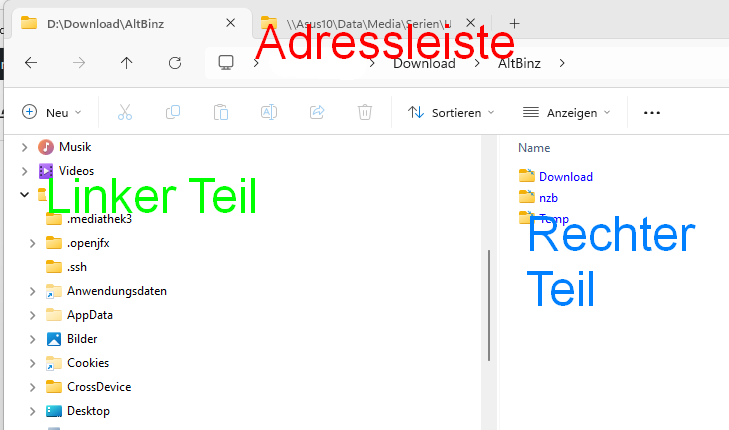
Whenever you delete or move a file or folder from the left or right pane, Windows File Explorer repositions the left pane „somewhere.“ Very often at the beginning of the folder list, but also often at the end of that folder view. Occasionally, it's simply placed somewhere in the middle. The „right pane“ and the „address bar“ usually remain in the correct place... but that doesn't help, as the workflow for organizing or sorting files is interrupted.
Solutions
I searched a lot and tried a lot. Here are the solution suggestions that can be found in various places. I've sorted them by the probability of solving the „jumping File Explorer problem.“ It's best to start with the first suggestion and work your way down. Solutions 1 or 2 will probably already fix your problem with the jumping folder view in Windows File Explorer. And you won't need to familiarize yourself with another file explorer. Why not, actually? Well... if you only work on one computer, that might even be the better solution., Total Commander For example, it offers numerous additional features that can really make your life easier!
Canceling a file rename is normal during move operations!
If you are currently copying files into a folder, or moving or deleting files from a folder, Windows updates the display of the folder's contents with every change, meaning with every file that disappears or appears. If you are currently renaming a file, for example with F2, Windows quickly cancels this renaming process and restores the old file or folder name. This behavior is quite annoying and, in my opinion, shows some rather clumsy programming in the creation of the Windows File Explorer... but what do I know...
Turn off the slideshow and the changing background colors in your Windows.
This didn't help me, but this was very often classified as a solution. You can find these options under...
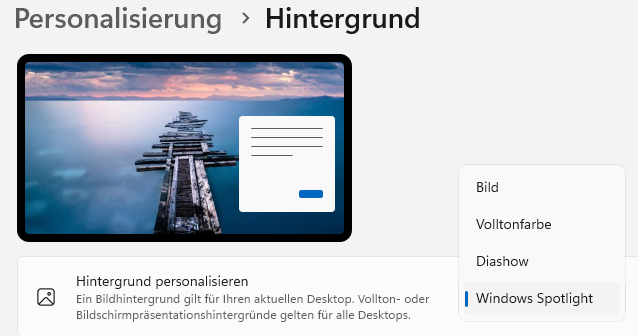
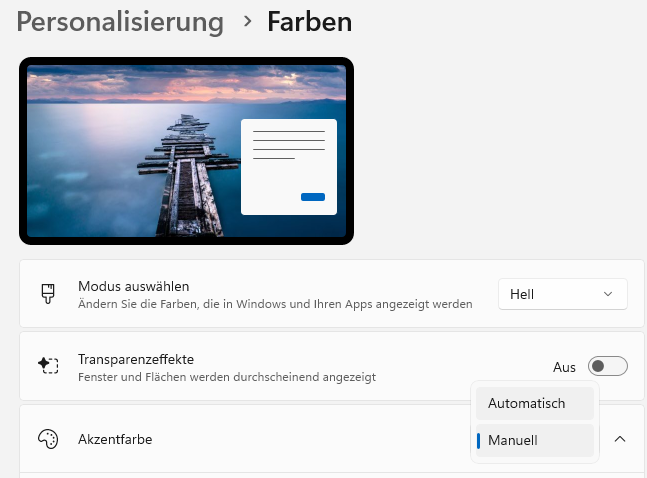
Personalization > Background > Personalize background. Select here „Image“or„Solid color„but not the active options „Slideshow“ or „Windows Spotlight.“ The slideshow, in particular, often proved to be the cause of the jumping File Explorer. Depending on the Windows version, there is also the option of „accent color for desktop background.“ If you have this option: Turn it off. Select a solid color.
Start folder windows in a separate process
And this helped me: In File Explorer under …/Options/View Hooks at „Start folder windows in a separate process„.
Disable file preview.
You can toggle this most quickly and as needed directly in File Explorer with ALT+P.
Switching/Uninstalling Antivirus
Antivir was mentioned here often... well, one can try it. I myself have followed the recommendation of for many years Heise, that Windows Defender has become a mature antivirus scanner, and do not install any other antivirus software.
Update mouse drivers, change mouse, change USB port
Users have also reported sporadically that their mouse on USB port 3 or a specific mouse driver was responsible for this behavior, as the mouse driver was likely attempting to „intelligently“ move the scroll bar in File Explorer.
Change keyboard because dirty
Might also be the problem... if nothing else has helped: Just give it a try.