


Easily create purchase orders from sales orders
Sometimes you don't need an order proposal with all the administration involved... Sometimes you just want to create a purchase order from the lines you have already entered in a Navision or BC365 sales order (or sales quotation). So, just copy a sales order into a purchase order, or, in short: copy sales into purchasing.
You would expect to find this directly under “Copy document”... but unfortunately Microsoft hasn't thought of that yet. Well... that's precisely the strength of Navision Dynamics: you can create little helpers like this with very little effort. Perhaps you are looking for a little helper like this?
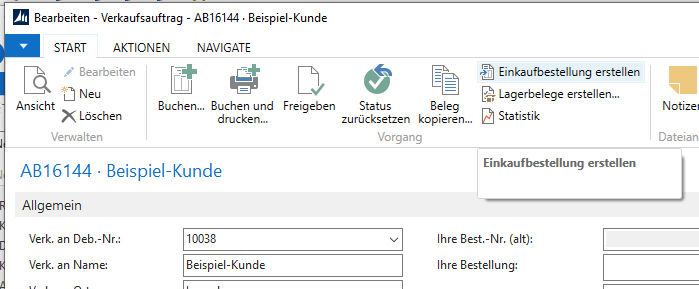
Screenshot from Navision RTC for the function „Create purchase orders from sales orders“ or „Copy sales orders to purchase orders“
With the “Create Purchase Order” function, you can create a purchase order directly from a sales order.
Navision then searches for the first item in this sales order, positions the vendor list on this vendor, and displays the vendor list.
You can then select this or any other vendor/supplier from this list.
After clicking OK in the vendor selection, Navision transfers all item lines from the sales order with all standard texts stored on the respective item card (and, if customized, all associated text lines from the sales order) to the purchase order. It also enters any changed cost price from the sales order into the purchase order.
The purchase order is then displayed to the operator for further processing -> Done!
Depending on requirements, we can also incorporate a feature whereby a separate purchase order is created for each main supplier appearing in the sales order... but at some point, it naturally makes sense to consider proper order proposals... which brings us back to order proposals:
Order suggestions should come from the computer!
Here is the operation manual
Finally be able to follow up on backorders? Finally have time to negotiate prices? Finally be able to research alternative suppliers and products again? But unfortunately, your buyers are completely tied up in the day-to-day procurement process? Because you need a lot of time to process your orders / order proposals? That's a shame... As a buyer, you can use your time much more effectively if, for example, you can
- Find alternative suppliers
- Negotiate better prices
- Increase delivery quality
- Cultivate supplier contacts.
- Find new interesting products
...Or, if necessary, drink coffee. Just don't do boring routine tasks day after day. Let Business Central or Navision do the hard work. And get back to your invaluable creative brainwork.
If you spend your day doing the same things over and over again, and your customers still have to accept backlogs on a regular basis, then it is urgently time to make a change!
In the days of Navision up to version 3.70, it was still quite easy to get „reasonable“ purchase order suggestions. Lot size, main supplier, minimum stock: While the purchase order suggestions and orders generated by Navision weren't very smart/intelligent, they were fundamentally usable.
Under Navision 2009 R2 and Business Central, the settings became completely confusing. Hardly any system house can generate usable order suggestions and thus orders with the standard right away. And then Business Central will sometimes simply delete already placed orders from the system when a new order suggestion is converted into orders. Try setting Lot for Lot on the item card in Navision & Business Central... or Replenish to Maximum Quantity... The options are clearly labeled... and yet practically never yield the desired result. In the case of „Replenish to Maximum Quantity,“ I would even directly assume a programming error in the order suggestion. If you simply want to have it corrected, Please log in.
And these proposals are not that much smarter/intelligent than before, despite all the adjustments. Business Central's entire ordering system now seems to be massively geared towards the American market. At least I like to hope so. Currently, the order suggestions of Business Central are no longer comprehensible for the normal user from my point of view.
Are you struggling with the alternative data in the inventory data ? Are you a little suspicious of the replacement process „fixed order quantity„, „replenishment to maximum stock„, „order quantity„, „lot-by-lot"? Mainly because Navision or Business Central - regardless of the setting - never simply replenishes the shortfall, but rather calculates "somehow weird"? Are purchase orders that you have already created simply deleted or changed? You can definitely control this with "Consider inventory" and "planning flexibility“ „none". You can also use "lot accumulation period" and "tolerance period" o include several (mostly not all) customer orders as a total quantity in an order proposal. But experience has shown that in a "normal" operation you will be overwhelmed by the configuration options of Business Central ... and with every new attempt to better adjust these adjusting screws, you will not get the desired and expected order proposals. And certainly not as simple as under Navision / Dynamics NAV.
My order proposal with order optimization inspires you and your buyers with these functions and really "smart order proposals", regardless of which Business Central or Navision version.
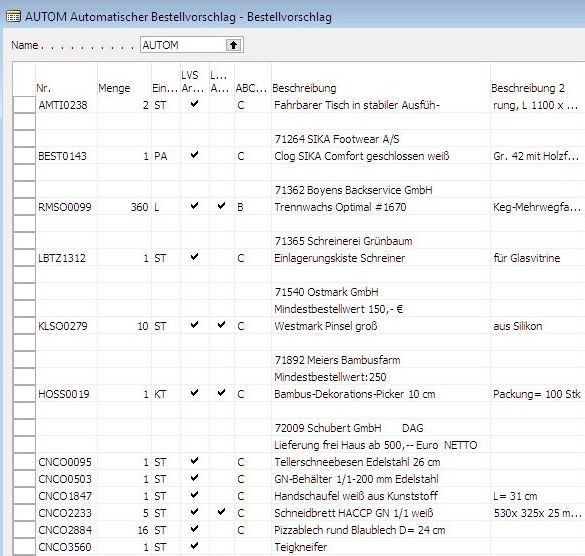
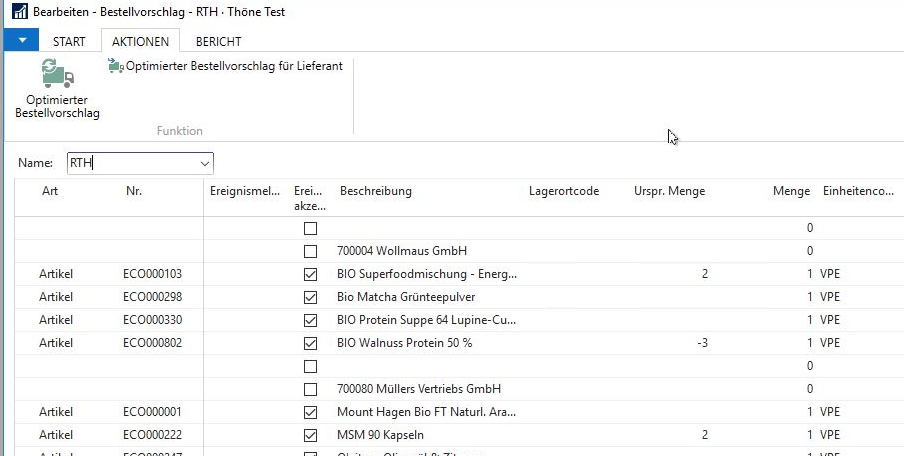
Individual purchase order from the order proposal
Navision and BC365 (Business Central 365) “think” of the order proposal somewhat differently than it is actually used by users. The standard assumes that after revising the order proposal, you simply click on “Execute event message,” and then Navision/Business Central 365 does everything automatically, i.e., creates all purchase orders, emails them to the creditors (suppliers) immediately, creates all production orders, etc.
In reality, however, the responsible planner often simply wants to place an order with a specific vendor or create only certain lines.
Order from the order proposal for a single vendor (supplier)
Using my “Create event notification for this vendor” function, you can filter out exactly those lines from all the lines contained in the purchase order proposal that belong to the current vendors and create a purchase order for precisely those lines.
Create individual lines from the order proposal
The last paragraph may not always apply, because you may not need individual items from a supplier (vendor) immediately. This is where my “Create purchase order” function comes in.
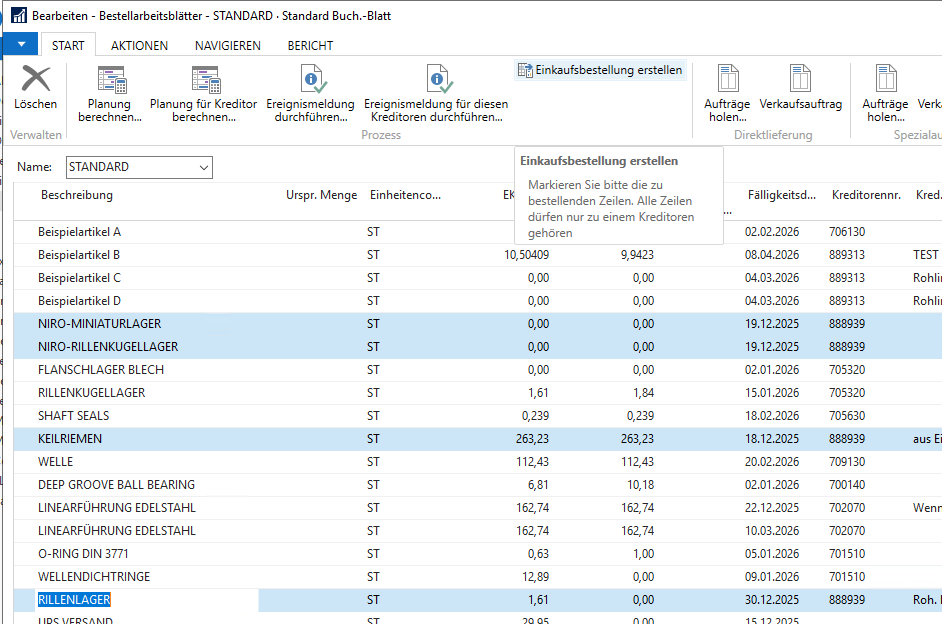
Navision / BC365 will then ask you for the purchase costs:

Business Central 365 (BC365) / Navision now automatically creates a purchase order:
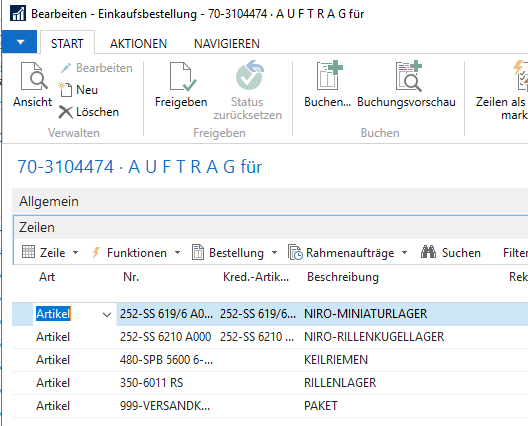
Shipping costs are only added and applied to the cost prices of the individual lines if “purchase costs” were also entered in the previous step.
Average & calculation is better than guessing & guessing.
- Lot size optimization: Specify lot sizes, such as carton quantities, layers, package contents or pallet quantities, and Navision will only order multiples of these quantities. No more surcharges for small quantities, faster and cheaper processing in incoming goods. Business Central also reduces costs and ensures safe transport. If, for example, only whole layers of cans or canisters are ordered, this also automatically reduces transport damage.
- Order range: Let Business Central or Navision automatically determine the Ø (average) delivery times per item and supplier. More accurate than any personal feeling. This way, Business Central finally turns smart when it comes to ordering. And that without artificial intelligence, but cleverly programmed. Navision automatically determines the number of buying customers (the more customers, the more reliable the sales) and the average turnover per period. From these variables, Navision can reliably determine the optimal time to place an order. This makes the unbelievable possible: Reduce your inventory value and thus your capital commitment and increase your delivery reliability simultaneously: Because C-items are automatically stocked more scarcely and A-items are automatically stocked more generously.
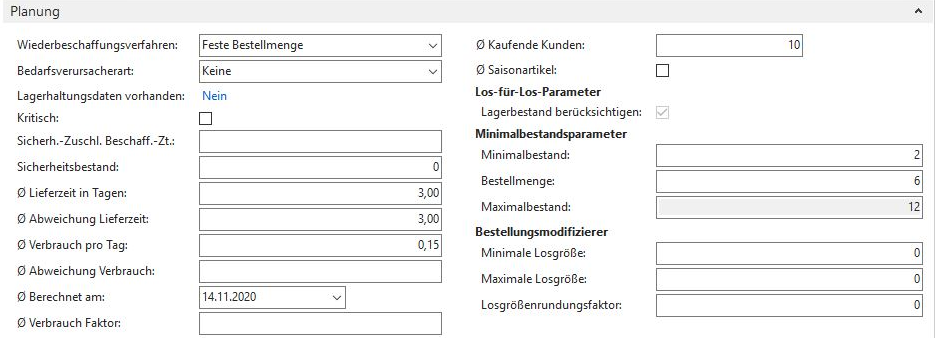
Fast & slow seller listsSave valuable storage space by consistently removing slow-moving items from your warehouse. It is better not to have 10 copies of an item that is sold once a year in stock. Depending on the delivery time, it is better to have it in stock only once or not at all. Business Central or Navision supports you in making this decision! Remember: Storage costs money! In so many ways. Unfortunately, not every manager or buyer is aware of this. As a result, “company-loyal” items literally clog up your warehouse and slow down your inventory turnover.
Order value optimization: Let Navision automatically suggest which items you optimally add to an order in order to achieve a minimum order value . Kill two birds with one stone: Reduce your procurement costs and keep useful items in stock! Rule of thumb: Navision & Business Central & Statistics usually knows better what makes sense than your gut feeling. And it is also much faster than “searching by hand”.
Season optimization: Enter alternative statistics periods for seasonal items such as grilled goods, Santa Clauses and Easter bunnies. Never again order a pallet of chocolate Santas on January 3rd just because they've been a big hit in the last 2 months! Learn from Homer Simpson:
https://www.youtube.com/watch?v=ntTzS9Se-BE