


Introduction
Do you have a warehouse? But no warehouse management system (WMS)? Then you are familiar with these stomach aches:
- We must have 20 more of these machines! Where are they?
- We can't find the bearings, Mr. Meier, who stored them, is off today / has retired
- Where did you put the pallet with the excess kitchen roll stock?
- Why do I have to get the forklift truck every time I want to pick the A-item xxx?
- Who put these C items down here in the hand area?
- Who put the food packaging right next to the cleaning products?
Etc. etc.
A typical warehouse that works without any storage bin assignments or with fixed storage bin to item assignments, for example, almost always looks like this:
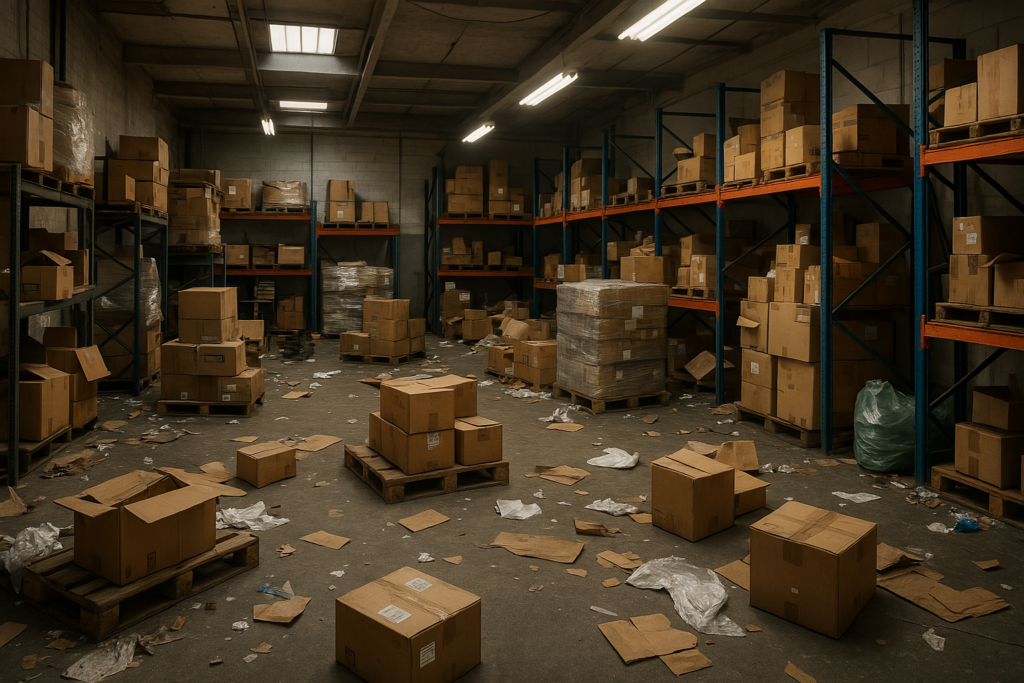
What do we see in a warehouse without storage bin assignment / with fixed storage bin assignment?
- Some storage spaces are completely overcrowded, while others are almost empty.
- Obviously, articles are grouped together in a way that generates a long search time
- Warehouses of this type are often also messy warehouses, as there is always too little space for certain items. Extra space has to be taken up „somewhere“ for this... but these items are not known to the IT department... and not to all employees either.
- Due to time constraints resulting from the incredibly long search times, boxes are repeatedly moved around... or rather re-sorted, unnecessarily torn open and leftover stock is not put back in its proper place after removal.
- This is not directly due to warehousing, but rather to the associated data management in the IT system: now and again, „pack items“ are sent as individual items and „unit items“ in a whole box („pack“). While in the first case customers will still get in touch with an unpleasant complaint, in the second case there will only be a costly stock shortage, which can no longer be explained afterwards - higher warehousing costs due to „shrinkage“.
- Storage bins are completely unevenly filled. Some storage locations are hopelessly overfilled, while other storage locations/storage bins are yawningly empty. As a result, the warehouse is always „too small“. Which in fact it rarely is. There is just too much air in storage.
In contrast, a „chaotic warehouse“:
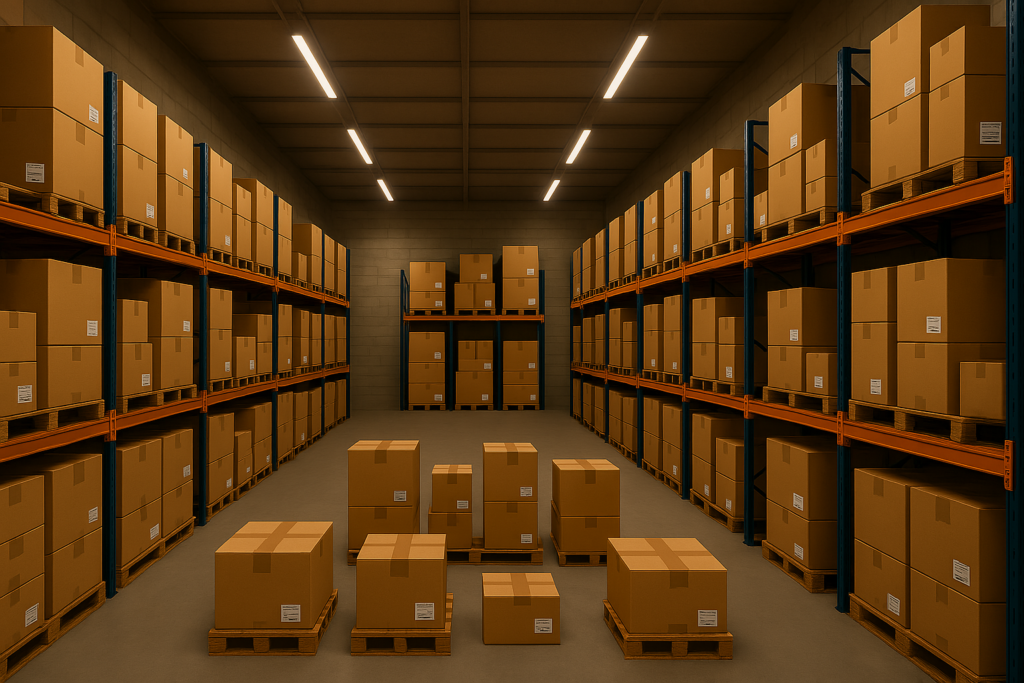
What do we see in a „chaotic camp“?
- You can't tell from the outside which item is there. That is intentional!
- The warehouse appears uniform, you can't orientate yourself by themes (such as spirits, Santas, screws or glue etc.). This is also intentional!
- The bearing is utilized much more compactly, less „air“ is stored.
But to understand this better, we first need to define or explain the term „chaotic camp“ or „chaotic camp organization“. First of all, „chaotic“ means a very messy camp, and not exactly the opposite, a first-class organized camp without long searches and with no waste, and also with little „air“ in the camp.
Chaotic comes from the prehistoric age of EDP. Without modern EDP, there would be no chaotic warehouse... it cannot or could not exist, the manual administrative effort would have exceeded all dimensions.
„In the “old days", it was the measure of all things to give a specific item an exact storage location in the warehouse. You can still see this today at Aldi and Lidl in the customer area (and only there!!): Washing-up liquid is always at the back right in the last aisle to the tills, and all the washing-up liquids are next to or below each other. The same with toilet paper, or fruit juices (but then in the entrance area).
This is very customer-friendly, and - strictly speaking - also very employee-friendly. Every customer and every employee knows where to find cheese, bread, chocolate or toilet cleaner after just a few „picks“. And once you've found the chocolate, you can also quickly find the Toblerone.
The data allocation was just as simple: a field with „storage location“ was kept in the database for each item. And then it was wonderfully easy to print out inventory lists or even pick orders: simply print out the order or inventory list sorted by storage location: Done!
This was already a huge step forward in warehousing! In this way, even very inexperienced temporary staff could quickly find their way around the warehouse, quickly navigate to a specific storage location (with sensible sorting) and (hopefully....) pick the right item from there.
These are all advantages! So why not always like this? Why do you need „chaotic“ when it can be done so neatly?
What are the disadvantages of a warehouse with fixed storage locations/storage bins per item?
- Predefined storage bins are always allows this too small or too large.
–Too bigThe storage compartment is optimized for the order lot size or the maximum stock level, for example. If the stock of an item decreases, „air“ is stored in the same compartment. At some point, the article is almost used up, the storage compartment then contains 90% of air.
–Too smallIf, for example, the storage compartment is set up according to the average stock level (average stock level) and then another half-yearly stock arrives, not all items will fit in the assigned storage compartment. Even worse: If - e.g. due to an imminent shortage caused by a pandemic or favorable conditions - a significantly larger quantity than originally planned is delivered, the assigned storage bin will be empty. in any case a lot too small. - If a delivery of goods does not fit into the available space, a place is sought „somewhere“ for the excess stock. This is often in the - not so easy to pick - spaces above the respective article, but sometimes there is no space there either, and so the stuff is then placed somewhere completely different... possibly somewhere in the middle of the way or in environments that are not suitable for the article (in the refrigerated area, in the non-refrigerated area, under sunlight, etc. etc.).
- In a warehouse like this, items are ALWAYS stored somewhere where only a very competent warehouse employee can find them again... or else nobody finds again, „because Erhardt is on vacation“.
- This is how low-cost bulk purchases are reversed by „Shrinkage“Instead of a cheap purchase, you end up with a shortage of items. These may clear up later, but then you have already ordered new items in a panic or the rubber bearing that was finally found again after 3 years is now so porous that you can no longer sell it.
- Search timesAt some point, the items in the original storage bin are used up and the search begins to find the excess stock. Often, unfortunately far too often, when you have found them after a long search (time = money!), you pick from this stock without, however, moving this stock to the correct storage location stored in the EDP system („restocking“). This also destroys any FiFo principle (First IN, First OUT, oldest stock is delivered first). Moving cost prices then no longer represent the real storage value, older items become dirty or spoil (even rubber seals harden at some point...), packaging is damaged by constantly being moved back and forth... you know the drill! I'm not making anything up here, it's sad practice. And if you have found this article here and read this far, it is probably also sad practice in your warehouse. At the latest when you buy the fresher milk in REWE before of older milk in the chiller cabinet, you can understand the dilemma described here.
- Inventories take many times the time they actually need due to the search times just described („There MUST be a truck battery around here somewhere! The EDP says so!“) and still involve labor-intensive rework („You! I just found the truck battery that was booked out! It was in the toilet behind the ravioli cans“).
- If the storage compartment is only just too small, packaging is damaged by „I have to squeeze it all in here now“ and can therefore also reduce the sales value or, in the worst case, make an item unsaleable -> additional loss.
What makes a chaotic warehouse, a chaotic warehouse management system so much better?
In a chaotically organized warehouse, each incoming goods item is assigned a new storage location, preferably one that optimally matches its current size. Blue washing-up liquid is then placed next to brass ball bearings and under the handkerchiefs. Hence the designation „Chaotic“, because it seems so chaotic to us humans in the camp. It becomes „orderly“ only and only with the help of EDP. A goods receipt of 1000 spark plugs (e.g. pallet warehouse, supply warehouse) can be stored in a completely different location to a goods receipt with 25 spark plugs (A-zone, picking robot, manual warehouse).
Easy storage even of unexpectedly large delivery quantities
Large incoming goods are dynamically broken down into container sizes (e.g. cartons or standard boxes). This means that a specific item, such as circuit breakers, can be stored in very different places in the warehouse.
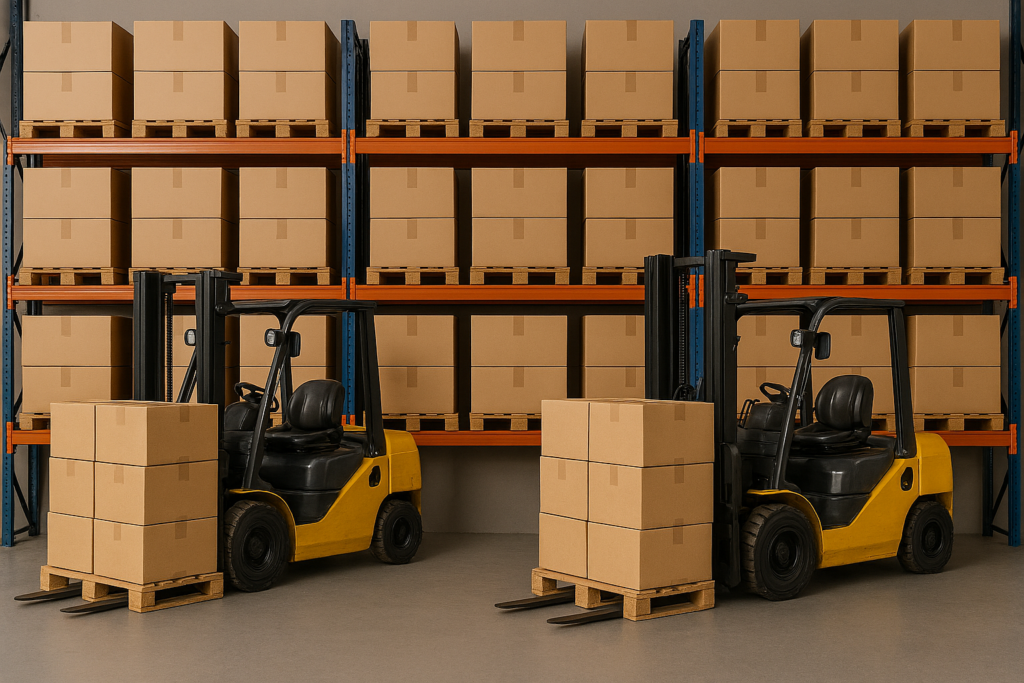
Automatic storage redundancy
This automatically results in redundancy! If, for example, a miniload (automated small parts warehouse, a storage and retrieval machine, a picking robot) breaks down, it is highly likely that a particular item can still be found somewhere else in the warehouse. This can be specifically controlled during storage, e.g. to deliberately allocate items to different storage zones. In a storage and retrieval unit, this could also be used to store daily or weekly stocks at the very front of the RGB (storage and retrieval unit) and the excess stock at the very back. In this way, excess stock does not block the valuable (because fast) A spaces and can then be moved to the front, e.g. in nightly optimization runs, stock by stock, week by week. Of course, this also works in manual warehouses if, for example, the excess stock is stored in shelves that are more difficult to reach and then (hopefully in good time, my LVS (LagerPmanagementsystem) is happy to help them with this...) from there, e.g. a week's supply is transferred to the A-zone (easily pickable) shelves as required.
The probability of incorrect picks due to similar articles is reduced.
With chaotic storage systems, you deliberately try to place similar items, such as M3x6, M3x8, M3x10 screws, far apart. Not every student temp can distinguish an M3x6 from an M3x8... but practically every helper (there are surprises there too...) can distinguish an M3x6 screw from a 10 mm nut or a fluorescent tube.
Batches, BBD, serial numberspure stocks
Each goods receipt is treated as an individual stock item with its own storage compartment/storage bin. This allows Navision/Business Central to provide information on each individual stock item stored,
- When
- From whom
- Where to (the storage process is only completed when the employee has scanned the target storage compartment)
this stock was stored. All meta data of the goods receipt (delivery note number of the supplier, order number from us, best-before date (if recorded), serial number, batch number etc. remain with this stock until it has been liquidated (completely removed from storage). This data also „survives“ a stock transfer. By default, the system prevents stocks with different metadata from being mixed together.
Optimized picking sequence
By softening the FIFO rules in a targeted manner, a shorter picking route can be created by giving preference to a more conveniently located stock instead of an older stock, or, for example, by using a stock with a quantity that exactly matches the pick quantity instead of tearing open larger containers or carrying several smaller containers together. This is where company-specific storage rules come into play, as the optimization described above may NOT be desirable for some items, particularly in the case of food.
Warehouse numbering also plays a major role in this... so much so that I will be writing a separate article on warehouse numbering, storage bin numbering, shelf numbering, etc. You wouldn't believe how many useful ideas you can come up with! When I have finished this article on warehouse numbering (storage bin numbering), I will link to it here. If you are currently in the process of planning this and, for example, need to number a new warehouse, contact me, then I prefer that.
Optimized storage space utilization
Since standardized storage locations or standard containers („Euro containers“) can be used by breaking down goods receipts into individual stocks, the goods receipt with complex quality control and exact counting (requires better trained personnel!) can be separated from the subsequent real physical, much simpler storage in the warehouse. In addition, stocks can be moved to optimal containers/optimal storage compartments, which drastically reduces the storage of „air“.
Subsequent warehouse optimization & ABC analyses
If an item requires less space during its lifetime (stocks have decreased) or is accessed less frequently (A items become B or C items), simple stock transfer orders can be created by the computer using e.g. Euro containers, standard boxes, pallets, and existing stocks can be transferred from e.g. a very easily accessible A pick location to a less easily accessible C pick location without losing meta data („best before date“, batch numbers).
Automatic replenishment
Here, too, IT can help by generating automated replenishment lists to transfer excess stock from the supply warehouses to the A-zones.
Drastically reduced or even completely eliminated inventories
Since Navision / Business Central knows the target quantity for every box, every compartment, every stock, many picks are also zero-passage inventories.
For example, if Business Central/Navision sends a picker to crate 0815/4711 and instructs him to remove the remaining 23 pieces from this crate, the system automatically checks during the pick whether the 23 were still there (otherwise the employee has reduced the pick quantity during picking = stock shortage) and whether the crate is now empty (query to the picker as to whether the crate is empty -> possible excess stock). As a rule, auditors consider this process to be a perpetual inventory, so that a real closing date inventory is no longer necessary.
Detailed explanation of zero crossing inventory
A zero crossing in the bearing takes place when
A) An article is scheduled to reach a stock level of 0 during removal („picking“), or
B) An item (e.g. due to a stock shortage/shortage) has less stock than the withdrawal requirement for this item, or
C) The stock of an item should be zero after removal (picking), but there are still items at this location / in this storage location.
A scheduled zero crossing (example A) is optimal: Here, it was determined completely without any counting effort that the inventory management and the storage are clean! Simply because the storage location is empty after removal.
In the case of B), a stock shortage was automatically detected without having to count the item separately (the picker cannot perform its task and only confirms 9 instead of 10 items to the WMS, for example). The pick quantity correction is therefore a kind of „mini-inventory“ immediately and without any extra effort.
Of course, my WMS immediately tries to make a new reservation so that the picker can retrieve the missing quantity from another stock before the order is completed. In this way, the customer order can still be fulfilled without significant additional effort despite a shortfall.
With C), a „mini-inventory“ is also carried out, this quantity is immediately available for other orders or the current order, so that further customer items can be satisfied immediately by this „mini-inventory“.
The stock corrections for B) and C) are of course logged and can, for example, subsequently reveal errors in storage or in other customer orders.
So why isn't every large warehouse organized „chaotically“?
This actually dates back to the early days of computerized warehouse management! As described above, the fixed storage location assignments, which were already possible on index cards and were also very easy to map in the first merchandise management systems, were an enormous gain in convenience and made work much easier compared to the „only the boss knows where things are“ of earlier times.
And this solution was so good and so easy to understand that it was simply considered „good enough“! But as we all know, IT and computer support have made enormous progress since then. It's just that the minds of decision-makers have not yet followed this progress.
Today's IT solutions, such as Navision Financials (yes, I also have a WMS for this!) or the new Business Central, no longer have a problem with the amount of data, if they are managed correctly in terms of program technology!
How does my WMS solution differ from the original warehouse management system included in Business Central or Navision?
Actually everything... especially the service, the (re)reservation, the separate inventory management... Please have a look at these task descriptions here.
- Data management - the inventories are managed completely differently than in „normal“ Navision / Business Central. The - actually ingenious - flow field principle is completely thrown overboard here. For reasons of speed and other reasons, this is unavoidable.
- Stock transfers and logs - these are also stored completely differently, much faster and more compactly.
- Stocks - My WMS „thinks“ in stocks right from the start, not in movements, as Navision / BC365 does - and for good reason! - does.
- Client separation - Often a large physical warehouse serves several masters. Perhaps individual users of this entire warehouse have different Navision/Business Central 365 (BC365) versions... or no Navision at all? Or different clients of an ERP installation should have access to an entire warehouse with all its stock, without these clients being able to see each other's data. My WMS supports all of this without any „cross-client“ logic in the standard Navision tables!
- Blocked stock... In Navision/Business Central 365 (BC365) often mapped via separate storage locations with multiple stock transfers. In my case, a stock is simply blocked with a comment and an error code... and unblocked just as quickly. If desired, but not mandatory, with feedback to the higher-level ERP. Of course, you can also control my Navision/Business Central 365 (BC365) WMS with completely different ERP's... but Navision/Business Central 365 (BC365) is already cooler...
I am still working on illustrated examples of all typical warehouse processes, please contact me or come back later. This article is currently under constant development.