

“Actually,” since Navision 2015 (I think), there has been a down payment invoice system from Navision/Microsoft for down payment invoices (“advance payment invoices”)... only... I don't think anyone really likes to use it. In any case, since it has been available, I have not met a single customer who is happy with it.
And why? Because Microsoft programmed the partial payments/installments in a totally impractical way, just like the reservations/reservation items.
How can it be improved? I hope you agree with the solution I describe below: This is how to do it better!
Manage advance payments
In many companies, advance payments themselves are NOT taxed. In general, sales invoices are immediately recorded as sales subject to sales tax. In terms of debit taxation.
Taxation on an accrual basis means that the full amount of sales tax is payable immediately on the transaction, regardless of when (or whether!) it is paid by the customer. This means that even for transactions that will only be paid in the distant future (or possibly not at all), the company must pay the full amount of sales tax to the tax office immediately. Only when you assume, based on commercial expectations, that the claim against the customer cannot be fulfilled, may you reclaim the input tax already paid. This makes it all the more important to identify impending bad debts at an early stage!!
In contrast, many companies, particularly in the construction industry, use minimum actual taxation.
Minimum actual taxation means that it is not the invoicing that triggers a sales tax liability, but rather the payment by the customer that triggers a sales tax payment. And not in the amount of the original partial payment invoice or down payment invoice, but only in the amount of the down payment actually made by the customer!
Another important difference from the original Microsoft down payment invoice is that there is generally no reason for a reminder if the down payment is not made.In this case, the order will simply not be executed. OK, here we are back in a gray area. For example, work may already have begun, and other services required in connection with this order/work may already have been provided before a further advance payment invoice (in this case, a partial payment invoice) is issued. In this case, a reminder may be justified... but then we are already dealing with an exception to the exception to the exception, which we should discuss if this really happens regularly in your company. Not everything that is technically feasible or implementable ultimately has to be solved technically; in each individual case, it always depends on the actual requirements in your company.
What does my down payment invoice look like as a solution to these problems?
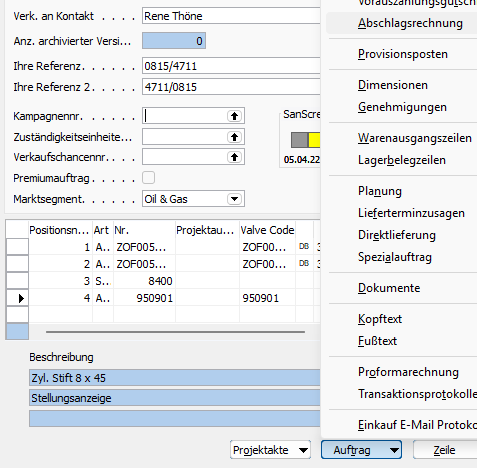
You can enter any number of partial invoices/advance payment invoices via Order/Partial Invoice:

Under “Calculation,” you can choose whether you want to enter an absolute amount directly or whether you want Navision / BC365 to calculate an amount from the order based on a percentage in the ‘Value’ column. You can always change the amount afterwards, for example, to turn an “odd invoice amount” into a “nice round total.”
Use Functions/Create Down Payment Invoice in this form to create a down payment invoice (advance payment invoice, advance payment request). This invoice is created as a Navision document/sales invoice document, but is not posted to financial accounting or to accounts receivable open items!